
Collection: Flight Sim Controllers

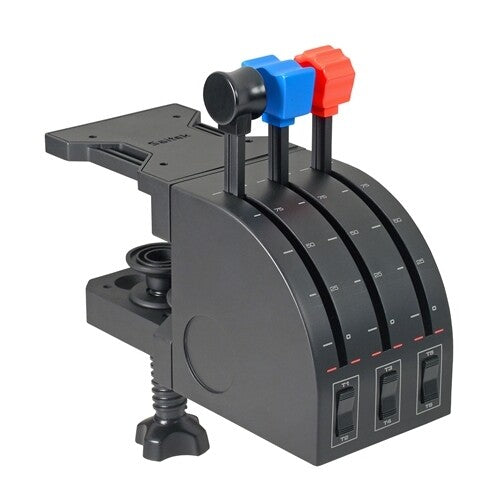
Flight Sim Controllers
Flight Sim Controllers are specialised input devices designed to replicate aircraft flight controls for use with flight simulation software on PC and console platforms. Flight Sim Controllers translate physical inputs such as pitch, roll, yaw, and throttle movement into digital signals recognised by simulators like Microsoft Flight Simulator and X-Plane. Flight Sim Controllers typically include joystick units, yokes, throttle quadrants, rudder pedals, and switch panels that connect via USB or wireless interfaces. Flight Sim Controllers improve control precision compared to standard gamepads by offering analogue axes, higher sensor resolution, and configurable input mapping.
Buying Guide & Decision Logic
Flight Sim Controller selection should be based on simulation type, realism requirements, and available desk space. A basic joystick with integrated throttle is suitable for casual flight simulation and combat aviation titles. A yoke system with separate throttle quadrant is more appropriate for civil aviation simulation because it mirrors real aircraft control layouts.
Entry-level joysticks often provide 3 to 4 analogue axes and 10 to 16 programmable buttons, which is sufficient for general aviation use. Advanced setups can include dedicated rudder pedals and multi-lever throttle quadrants with up to 6 independent axes for twin- or quad-engine aircraft. Hall effect sensors typically provide smoother and more durable input detection compared to traditional potentiometers. Console users must confirm Xbox or PlayStation compatibility, as many Flight Sim Controllers are PC-only. USB-powered devices reduce cable complexity but may limit expansion options compared to modular ecosystems.
Technical Specifications
Flight Sim Controllers are defined by axis count, sensor technology, build materials, and platform compatibility.
-
Controller type: Joystick (HOTAS), Yoke system, Throttle quadrant, Rudder pedals
-
Axis count: Pitch, roll, yaw, throttle, mixture, propeller (model dependent)
-
Sensor type: Hall effect sensor or potentiometer
-
Button count: 8–30+ programmable inputs
-
Hat switches: 4-way or 8-way POV controls
-
Throttle levers: Single or multi-engine support
-
Resolution: 8-bit to 16-bit axis precision (model dependent)
-
Connectivity: USB-A, USB-C, proprietary modular connectors
-
Platform support: Windows PC, Xbox Series X|S (model dependent)
-
Mounting options: Desk clamp or suction base
-
Force feedback: Present on select models only
-
Software support: Driver and configuration utility required
-
Build material: Plastic housing or metal gimbal construction
-
Cable length: Typically 1.5m–2m
FAQ
What is the difference between a joystick and a yoke?
A joystick uses a central stick to control pitch and roll, which is common in military aircraft simulations. A yoke uses a horizontal control column that pushes and pulls for pitch and rotates for roll, which mirrors civil aviation aircraft. The choice depends on the aircraft type being simulated.
Do Flight Sim Controllers work with Xbox?
Some Flight Sim Controllers are officially licensed for Xbox Series X|S and connect directly via USB. Many PC-focused controllers do not function on consoles due to firmware and driver limitations. Buyers must verify console compatibility in the product specification before purchase.
Are rudder pedals necessary for flight simulation?
Rudder pedals provide independent yaw control and improve realism in coordinated turns and crosswind landings. Many joysticks include a twist axis for rudder input, which is sufficient for casual users. Dedicated rudder pedals offer more precise control for advanced simulation scenarios.
What is HOTAS in Flight Sim Controllers?
HOTAS stands for “Hands On Throttle And Stick” and refers to a two-piece system consisting of a separate joystick and throttle unit. HOTAS configurations allow simultaneous control of aircraft movement and engine power. This setup is commonly used in combat flight simulations and space simulators.